I recently came across Kent Sullivan’s 1996 case study on the design of the Windows 95 user interface, and reading it felt like finding a letter from a more civilized era. Sullivan joined the Windows 95 UI team in 1992 and spent years documenting how the team approached the redesign of the most widely used operating system in the world. The paper describes iterative prototyping, lab testing with real users, formal problem tracking databases, field studies. It describes a team of about twelve people (product designers, graphic designers, usability testers, computer scientists) working together with one shared goal: make Windows easier to use for people. That was the entire goal.
No mention of optimizing engagement metrics. No dark patterns to trick users into enabling telemetry. No notification spam. No sneaky conversion of local accounts into cloud-dependent ones. No “AI” buttons bolted onto every surface. Just people watching other people use a computer, taking notes, and going back to fix what was broken. Reading it now, the paper feels almost quaint.
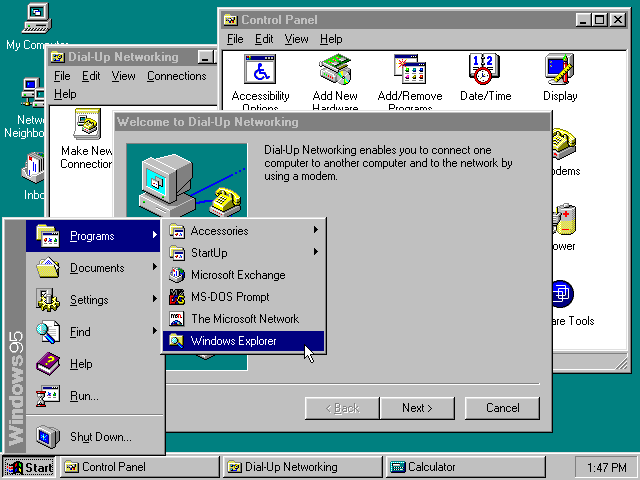
The process that built the Start button
What strikes me most is the rigor. The Windows 95 team didn’t just guess at solutions; they measured the problems first. They identified the twenty most frequent tasks users performed on Windows 3.1, then ran lab studies comparing how people handled those same tasks on both the old and new systems. When the early results were bad (and they were), the team didn’t panic. They held an offsite, reviewed all data collected to date (baseline studies, interviews, market research, product support calls) and came to a conclusion that would terrify most modern product managers: a truly usable system might not look or act like Windows 3.1 at all.
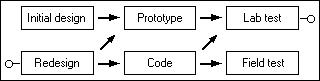
The taskbar is maybe the best example of this process in action. The team’s first attempt at improving window management was modest: they changed minimized windows from small icons to larger “tiles,” hoping that bigger targets would be easier to find. It didn’t work. Users had the same problems as before. The real issue, the data showed, was that windows weren’t always visible, and people couldn’t tell what was open or switch quickly between tasks. So they came up with the persistent taskbar: every running application got a button that was always on screen, always accessible. They tested it. It worked. They shipped it.
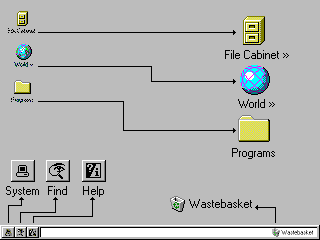
No committee of VPs debated whether the taskbar should also serve ads. Nobody asked if it could recommend Bing searches. It just solved a user problem, cleanly and efficiently.
By the end of the project, the team had tracked hundreds of usability issues in a formal database. 81% were resolved, 8% partially fixed, and only 11% left unresolved, usually due to technical limitations, not lack of interest. Perhaps the most telling detail: literally nothing from the original UI design survived unchanged into the final product. Everything was iterated, tested, reworked. The team understood that not getting it right the first time was as useful as getting it right.

How affordances were stripped away
Windows 95’s interface established a visual language that an entire generation internalized without realizing it. Buttons had bevels and shadows, so they looked like things you could press. Disabled controls were grayed out. Menu items with ellipses told you a dialog was coming, while items without them executed immediately. Underlined letters on every label indicated the keyboard shortcut. The affordances were everywhere, consistent, and self-documenting.
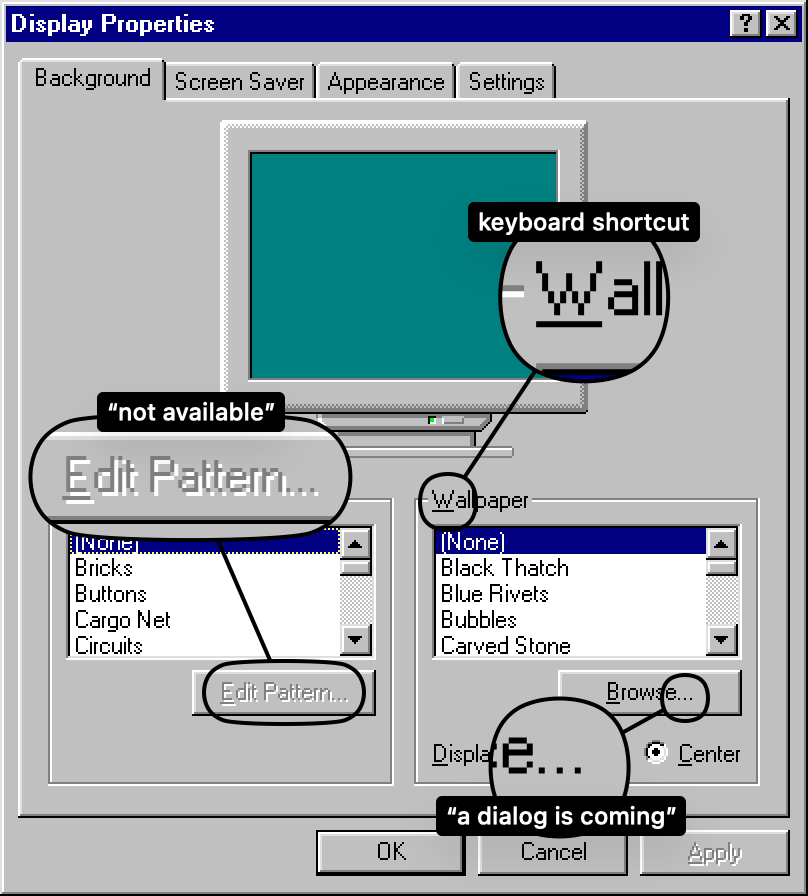
That generation grew up and became designers. And because they’d been raised in an environment where interactivity was obvious, they assumed it was inherent. Of course you know that thing is a button, it is a button, so why does it need to look like one?
Widget by widget, bevel by bevel, the affordances were stripped away. Gradients replaced outlines. Explanatory text disappeared. Manuals became brochures, then a slip of paper with a URL. Flat design arrived and declared that all visual cues were clutter. What replaced them was elegance, the kind of elegance that makes a screenshot look gorgeous in a keynote presentation but leaves actual humans tapping around a glass surface hoping something will happen.
Apple’s Force Touch is maybe the peak example. A feature where pressing harder on the screen does something different than pressing softly. How would anyone discover that? Right-click on Windows 95 had a similar discoverability problem in theory, but in practice, having a second physical button on the mouse, right there next to the first one, made it far easier to stumble upon. Force Touch was a ghost interaction.
iOS hid the scrollbar. Then it hid the tab bar at the bottom of Safari, and you have to scroll up to make it reappear. People report scrolling all the way back to the top of a page just to access navigation, not knowing there’s a hidden bar below. These aren’t edge cases. These are core interactions made invisible for the sake of visual cleanliness.
Optimized for the company, not the user
The Windows 95 paper describes a team optimizing for the user. Today, most UI decisions are optimized for the company’s bottom line. The distinction is subtle in conversation and enormous in practice.
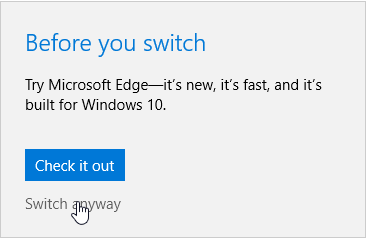
Modern Windows nags you about switching browsers. It sneaks in advertisements into the Start menu. It pesters you to create a Microsoft account, then makes it almost impossible to use a local one. Try setting up a fresh Windows 11 install without an internet connection; the OS fights you at every step. Settings are scattered across two different interfaces (the legacy Control Panel and the newer Settings app) as if the team got halfway through a migration and then got reassigned.
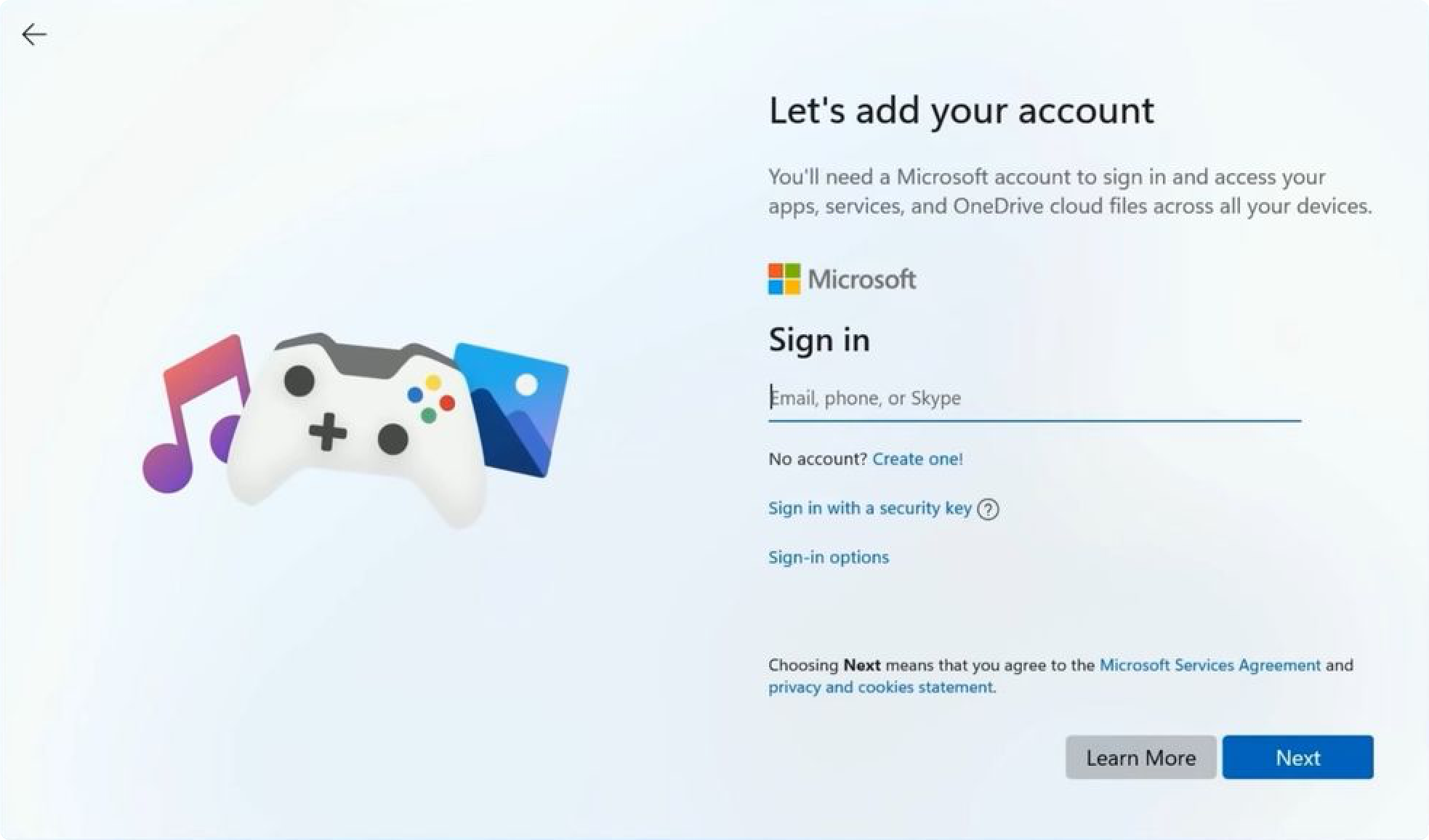
This isn’t incompetence. It’s a different optimization function. When Kent Sullivan’s team found that printer setup was confusing, they built a wizard to walk users through it step by step. When modern Windows finds that users prefer Chrome, it adds extra confirmation dialogs to discourage them from switching away from Edge. Same level of effort, opposite intent.
The same drift happened across the industry. Every major OS now has some flavor of dark patterns: opt-out data collection, deliberately confusing privacy settings, notifications designed to create anxiety rather than inform. As one commentator put it: the UIs of the late 90s were the last ones designed by people who actually cared, by people who approached the process with the end user in mind. They were optimized for the user. Now they’re optimized for the company.
Death of the consistent interface
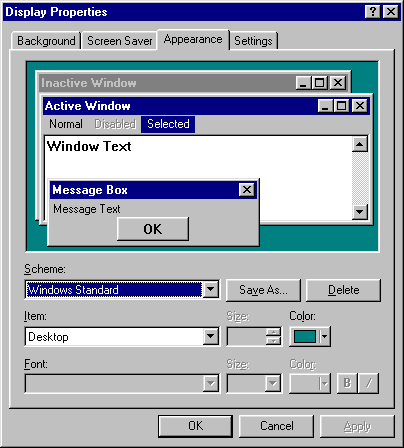
One thing I miss from the Windows 95 era that rarely gets discussed: system-wide theming. You could change the color of every single UI element (title bars, buttons, text, backgrounds) and every properly written application would respect your choices. You wanted dark mode in 1995? You had it. You could configure it down to individual widget colors.
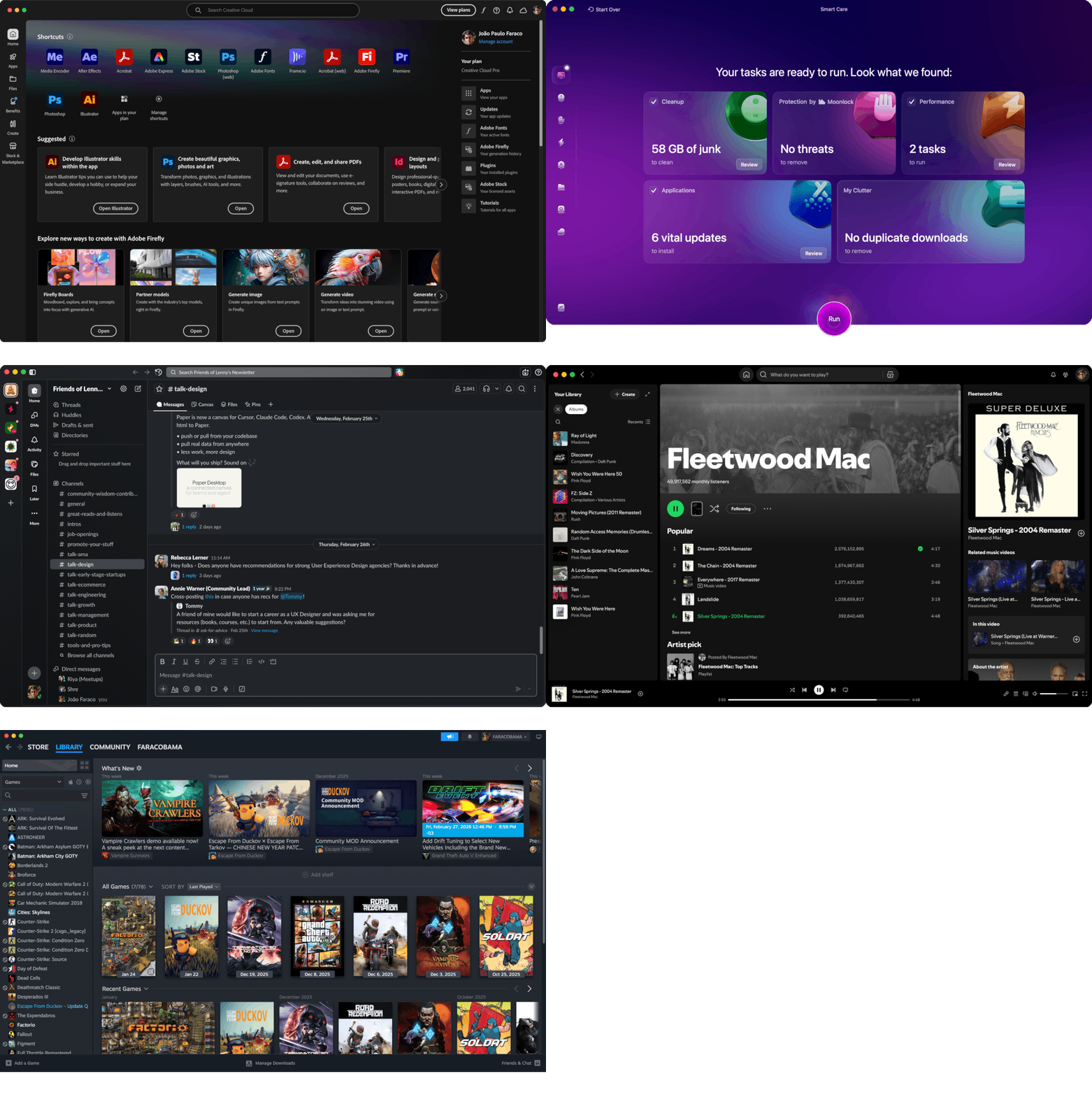
Now, after years of app developers abandoning native controls to draw their own custom UIs, we get “dark mode” announced with fanfare, as if it were some breakthrough feature. And half the apps don’t even respect it. Spotify looks like Spotify regardless of what your system theme says. Discord does its own thing. Every Electron app is an island, ignoring the host OS’s conventions, accessibility features, and keyboard shortcuts. The result isn’t a coherent computing experience; it’s a dozen different design languages crammed onto one screen, each one slightly broken in its own way.
Back when applications used the OS’s native UI toolkit, a theme change rippled through everything. If an app didn’t respect your colors, it was a bug. Today, the concept doesn’t even exist. You get whatever the designer’s Figma file decided three sprints ago.
There’s a real loss here that goes beyond aesthetics. Native controls meant consistent keyboard shortcuts, consistent tab order, consistent behavior of text fields and scroll areas. Screen readers and accessibility tools could hook into the OS’s control hierarchy. When every app draws its own UI from scratch on a web canvas, all of that breaks.
We also got faster hardware and slower interfaces
Maybe the most absurd regression: responsiveness. Windows 95 ran on machines with 8 MB of RAM and responded to clicks almost instantly, because the UI code was written at a very low level, tightly coupled with the OS itself. Today, Photoshop’s “New” dialog takes seconds to appear. Slack can use gigabytes of RAM to display what is, functionally, a chat window. Some applications take longer to respond to a button click than it takes light to travel around the entire planet.
We got machines that are thousands of times more powerful and used that extra headroom not to make things faster, but to make development more convenient. Electron wraps an entire Chrome browser instance around what could be a lightweight native app. React re-renders entire component trees to update a single line of text. The cost is paid by the user in latency, battery drain, and that constant low-grade frustration of interfaces that feel sluggish for no visible reason.
There’s a strong argument that some of this is an acceptable tradeoff: web technologies lowered the barrier to building cross-platform apps, and many useful tools exist today that wouldn’t have been built otherwise. Fair enough. But it’s worth acknowledging that the tradeoff exists, and that the user is the one paying for it.
What’s actually worth taking from 1995
I don’t think nostalgia is the right response here. Windows 95 had plenty of problems: flaky stability, terrible multitasking under load, an install process that could ruin your afternoon. The point isn’t that everything was better. The point is that the process was better.
The Windows 95 team practiced what we now call continuous discovery. They watched real people do real tasks, identified the pain points with data, prototyped solutions, and tested them again. When something didn’t work, they didn’t argue about whose instinct was right; they ran another study. They maintained a tracking database of usability problems the same way we maintain bug trackers for code.
As someone who works in product design, I find this both inspiring and a little depressing. We have more tools for user research than ever: analytics, session recordings, A/B testing platforms, remote usability tools. And yet the dominant design trend of the past decade has been to prioritize visual minimalism and engagement metrics over the kind of painstaking, user-centered work Sullivan’s paper describes.
The best design teams I’ve worked with still practice something close to this. But they’re swimming against a current that rewards shipping fast, measuring clicks, and calling it a day. The Windows 95 case study is a reminder that there’s another way, one that’s slower, more disciplined, and ultimately more respectful of the people who actually use what we build.
Maybe we should read it more often.